That Is NOT My Mom Tools & References
Quick utility pages—start with the full controls sheet.
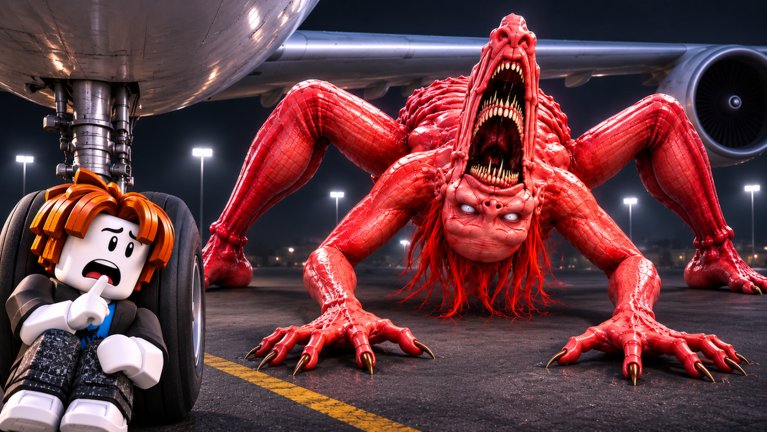
The Tools Hub collects quick-reference pages for That Is NOT My Mom on Roblox by TerrifyingTony. When the mimic is listening in the night store—or across Chapter 3 Airport concourses—you should not be digging through settings menus trying to remember which finger crouches. Start with controls, confirm your device layout once, then jump back into ranked stealth plans with a clear head.
This hub is intentionally thin on lore and thick on lookup value. Open it on a second screen, pin the Controls child, and treat every other wiki article as free to assume you already know Interact versus Jump.
Featured tool pages
Controls
Full movement, stealth, interact, and revive reference for PC and mobile where the inputs differ. Featured because every wipe montage that starts with “my crouch key wasn’t crouch” is preventable. The page covers typical Roblox defaults, mobile joystick discipline, the four-beat stealth sequence (stop sprint → crouch → dive → hold), and revive approach habits that keep anchors alive.
Print it, screenshot it, or keep the tab beside Roblox—especially after a hotfix reshuffles prompts.
How to use this hub during a session
- Open Controls before your first public run of the night.
- In Roblox Esc → Settings, confirm Crouch and Interact rows match what you practiced.
- Remap accessibility options if needed (sensitivity, camera lock, UI scale on phones), then close the menu in a safe lobby—not mid-aisle.
- Combine binds knowledge with Hide Spots and Strategies so mechanics and plans stay synced.
- Teach one bind tip to a teammate via the Players Hub role calls (“crouch before cart,” “half-pull joystick”).
- After any chapter patch, skim Updates then re-spot-check Interact on a harmless lobby button before you trust muscle memory.
Pre-run tools checklist
Use this two-minute gate before you press Play on place 139917699782531:
- Headphones on (audio is the fantasy)
- Crouch bind verified once
- Mobile: crouch control enabled, UI scale readable
- Squad agrees Quiet clear vs Rush (Strategies)
- Two S-tier hides named for the first list zone
- Nobody in chat pushing loadstrings (Scripts Hub)
If any box fails, fix tools first—objectives can wait thirty seconds.
What belongs under Tools vs Guides
- Tools — dense references, checklists, input sheets, and future calculators-style utilities that you reopen mid-session.
- Guides — narrative walkthroughs and teach-ins such as Getting Started that you read once, then apply.
- Tier lists — opinionated ranks that change with patches; tools should stay mostly stable.
- Updates — why a tool tip might have shifted after Airport props moved.
If you came here hunting “script tools,” stop. The honest Scripts Hub explains that no verified public scripts for this brand-new title were confirmed at research time. We will not paste loadstrings, name executor stores, or pretend cheats are a supported utility. Account bans and malware are not “QoL.”
Device-specific reminders
PC: Watch for remaps that put Crouch on an awkward pinky key after you borrowed a friend’s layout. Rehearse the stealth sequence twenty times in lobby if you switched from another horror experience the same night.
Mobile / tablet: Full-tilt joysticks equal accidental sprints. Practice half-pulls, enlarge the Interact hitbox via UI scale, and keep Jump away from your Interact thumb. Overheating throttles input—lower graphics before you blame the mimic pathing.
Controller (if you map through Roblox): Confirm which face button is Interact versus Jump before Airport glass corridors punish a wrong press with a silhouette death.
Other hubs to keep pinned
- Codes / How to Redeem — gift status (none confirmed yet) and the legitimate UI path
- Chapter 3 Airport — layout changes that alter when you need binds mid-chase
- Players — who should hold the revive anchor while you manage inputs
- Links — official Roblox game and TerrifyingTony group URLs only
Editorial promise
When we add more tool pages (keybind printable cards, co-op callout cheatsheets, post-patch prompt diffs), they will land here first with trailing-slash links and the same no-exploit rule. Until then, master the control sheet once, then spend mental bandwidth on sound cues, Mom verification, and table exits—not on which button hides you under the next bench.
Mobile Tips
Phone and tablet layout tips for quiet movement, table hides, co-op callouts, and Chapter 3 Airport on touch controls.
Frequently Asked Questions
Quick answers to the most common questions.
What tool should I open first?
The Controls page—movement, crouch, interact, and revive binds for PC and mobile.
Will you add more tools later?
Yes when checklists or reference sheets help players more than another prose guide. This hub links them as they ship.
Are scripts listed under Tools?
No. Exploit status and safety notes live on the Scripts Hub, separate from legitimate control references.
Do controls change after Airport?
Core Roblox moves stay familiar, but new prompts can appear—recheck Controls after major patches on the Updates Hub.