How to Redeem That Is NOT My Mom Codes
Safe UI checklist for when TerrifyingTony actually ships a gift string.
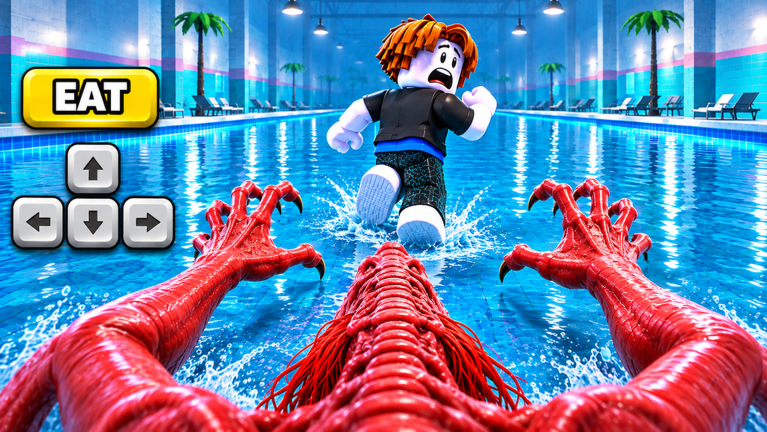
This guide explains how to redeem codes in Roblox experiences like That Is NOT My Mom, even while no active codes are confirmed yet. Learn the usual button locations, typing rules, and scam patterns so you are ready the moment a real string appears on the Codes Hub.
Before you start
- Confirm you are on the real experience: That Is NOT My Mom on Roblox by TerrifyingTony (Place
139917699782531). - Check the Codes Hub—if the status still says none confirmed, there is nothing legitimate to paste yet.
- Finish any first-load tutorial prompts so the full lobby or HUD can appear. New players often miss shop or settings icons while the shopping-list intro is still playing.
- Disable browser extensions that rewrite clipboard text; many “code fail” reports are just mangled paste jobs.
Typical Roblox redeem flow
Exact labels change between updates, but horror lobbies usually follow this pattern:
Step 1 — Launch and reach a stable lobby
Press Play, wait for streaming to finish, and stay in the lobby or safe pre-run screen. Do not try to redeem mid-chase while the mimic is active; many UIs lock during tense sequences.
Step 2 — Find Codes, Gift, Shop, or Settings
Scan the edges of the HUD for a Codes, Gift, Twitter/X, Shop, or Settings button. On mobile, open the compact menu first—codes fields are often nested one tap deeper than on PC. If nothing resembling a redeem box exists, the feature is probably not live yet (matching our current hub status).
Step 3 — Paste exactly
Open the text field, clear any placeholder, and paste the official string. Watch for:
- Extra spaces before or after the code
- Wrong letter case (many codes are case-sensitive)
- Lookalike characters (
0vsO,1vsl) - Missing punctuation that was part of the announcement
Step 4 — Confirm and verify rewards
Tap Redeem / Submit. Successful claims usually show a toast, particle burst, or inventory ping. Check currency counters, cosmetic slots, and any temporary buff timers. If the UI says success but you see nothing, rejoin once—replication lag is common after chapter patches like Airport.
That Is NOT My Mom–specific tips
Because the fantasy is a kid trapped in a night store with a sound-reactive mimic, expect any future codes UI to sit outside the tense aisle gameplay—lobby, pause menu, or shop dock—rather than beside the shopping list itself. Do not confuse the in-run list UI with a redeem box. After Chapter 3’s Airport content, menus may reshuffle; recheck the Updates Hub and Chapter 3 notes when a patch lands.
Practice the rest of the loop while you wait: quiet movement from the Controls page, table hides from the Hide Spots Tier List, and team revive etiquette from the Players Hub. Skill beats a missing gift code every time.
Troubleshooting failed redemptions
“Invalid code” for everyone — The string is wrong, expired, or never existed. Recheck the official post; ignore comment-section edits.
Works for friends but not you — You may have already redeemed it (one claim per account is standard), be on an alt region shard with delayed UI, or have a typo only on your device.
No codes button — Feature not shipped, or your client needs a full restart after an update. Do not “fix” the missing button with executors.
Reward missing after success toast — Soft rejoin; check both lobby and in-run inventories; wait a minute for data stores.
Game softlocks after opening Shop — Report via Roblox, then retry after the next hotfix listed on Updates.
Fake-code and scam patterns to ignore
- Videos titled “new codes every hour” with no developer citation
- Lists that mix strings from other horror games
- Sites asking you to log in with your Roblox password to “unlock” a code
- Discord DMs selling “private generators”
- Instructions to enable HTTP requests or paste loadstrings just to redeem
If a stranger demands payment, personal data, or an executor for a free gift, walk away. Prefer the Scripts Hub safety notes if you were tempted by exploit shortcuts, and keep learning legitimate stealth via Strategies and Getting Started.
After a successful redeem
Screenshot the reward screen for your own records, then return to a normal run. Codes never replace sound discipline: the mimic still hears sprints and careless cart noise. Use any cosmetic flex in lobby, then play clean in the aisles.
When TerrifyingTony publishes a real code, return here and to the Codes Hub for the verified string and any expiry callouts we can confirm.
Frequently Asked Questions
Quick answers to the most common questions.
Why can’t I find a Codes button in That Is NOT My Mom?
Most likely the redeem UI is not live yet—no codes are confirmed. Restart after patches and recheck the Codes Hub before assuming your client is broken.
Do codes work on mobile and PC the same way?
Yes in principle. Mobile often hides the field one menu deeper. Paste carefully; mobile keyboards love adding trailing spaces.
Can I redeem the same code twice?
Almost never. Roblox experiences typically allow one successful claim per account per code.
Someone in chat sold me a code pack—safe?
No. Free official codes are posted publicly. Paid “packs,” generators, and password forms are scams.
Where should I look for legitimate announcements?
Developer Roblox posts, the experience update log, and trusted wiki updates—not random comment spam.